Reporting & Accountant

Financial reporting for SMEs, in sync with your accountant

See revenue, outstanding invoices and costs at a glance, and decide on figures instead of gut feeling. Bizzey delivers your documents to your accountant automatically, so closing a quarter takes minutes instead of days.

Clay illustration of an entrepreneur reading a growing dashboard while documents flow automatically to the accountant
  • Real-time dashboard
  • Revenue and cost reports
  • Automatic delivery to your accountant

Your numbers, without the spreadsheet

Real time

every invoice and expense updates your reports

3

accounting packages connected: Clearfacts, Yuki and Octopus

€24,99

per month, reporting included

Sound familiar?

Know where you stand, every day

Many entrepreneurs only see their real figures once a quarter, when the accountant sends them. Bizzey shows them every day.

"How much did we actually earn this month?"

The dashboard shows revenue, costs and margin per month, next to your outstanding and overdue invoices. All figures come straight from your invoices and expenses.
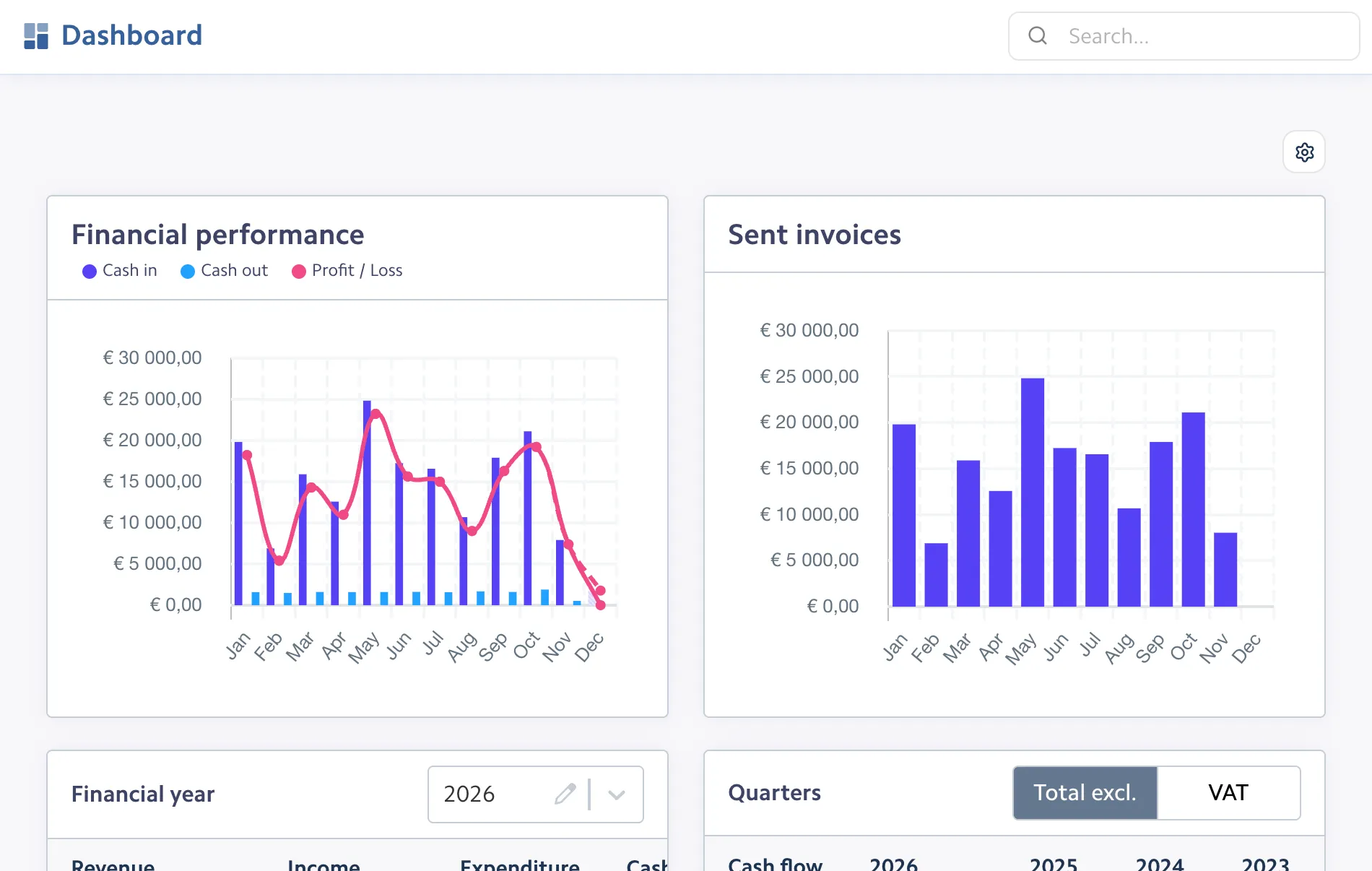
Dashboard in Bizzey with revenue and invoices per month

"Which customers bring in the most?"

Revenue and expense reports per period, grouped by month, quarter or year. Compare with a previous period to spot trends early.
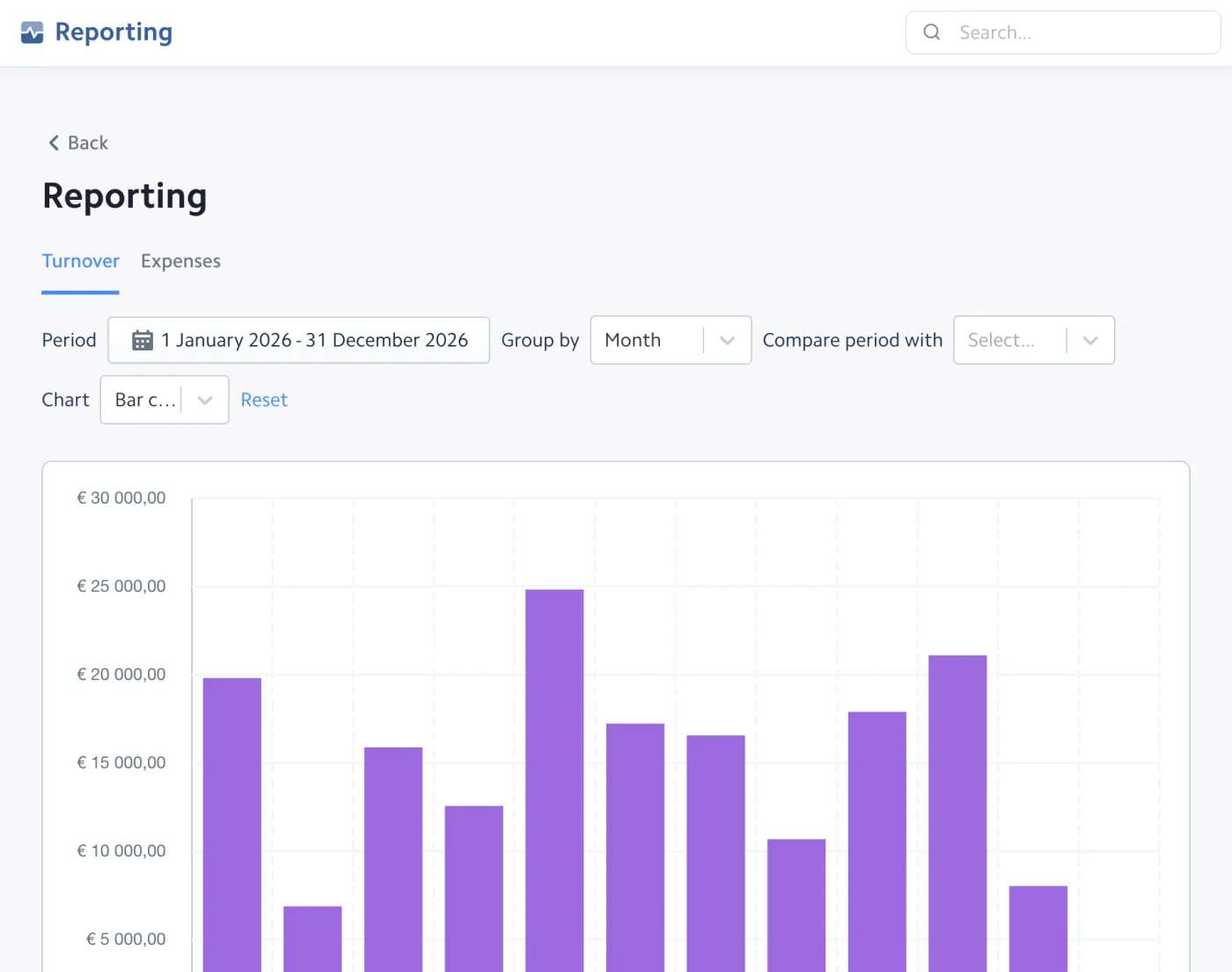
Revenue report in Bizzey with monthly bars

"End of quarter means chasing documents"

Choose a period and send all sales invoices, purchase invoices and expenses to your accountant in one go, or let your accounting software pick them up automatically.
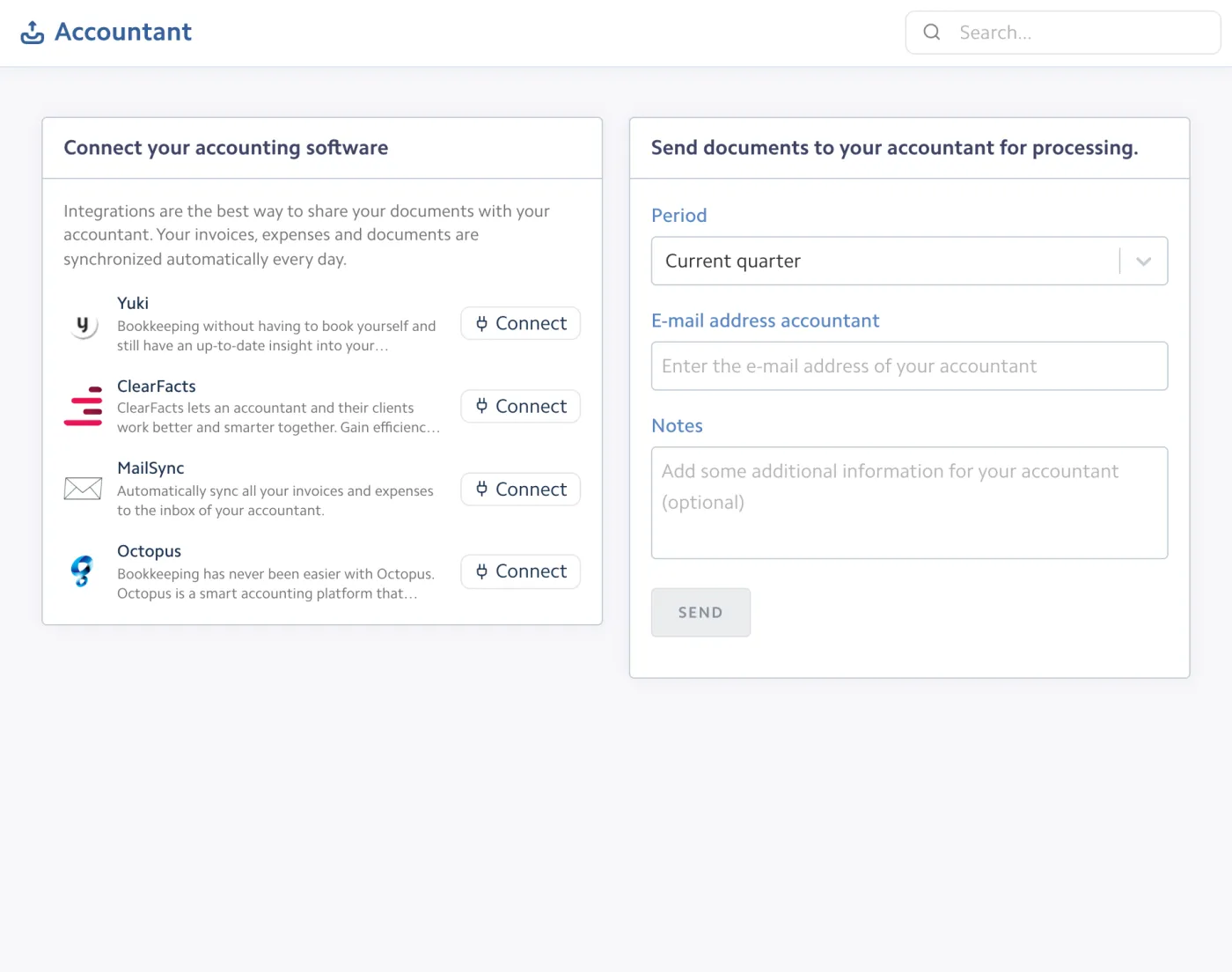
Send documents to your accountant in Bizzey

"My accountant needs access too"

Invite your accountant to Bizzey. They get their own accountant portal with your invoices, expenses and bank transactions, without access to the rest of your workspace.
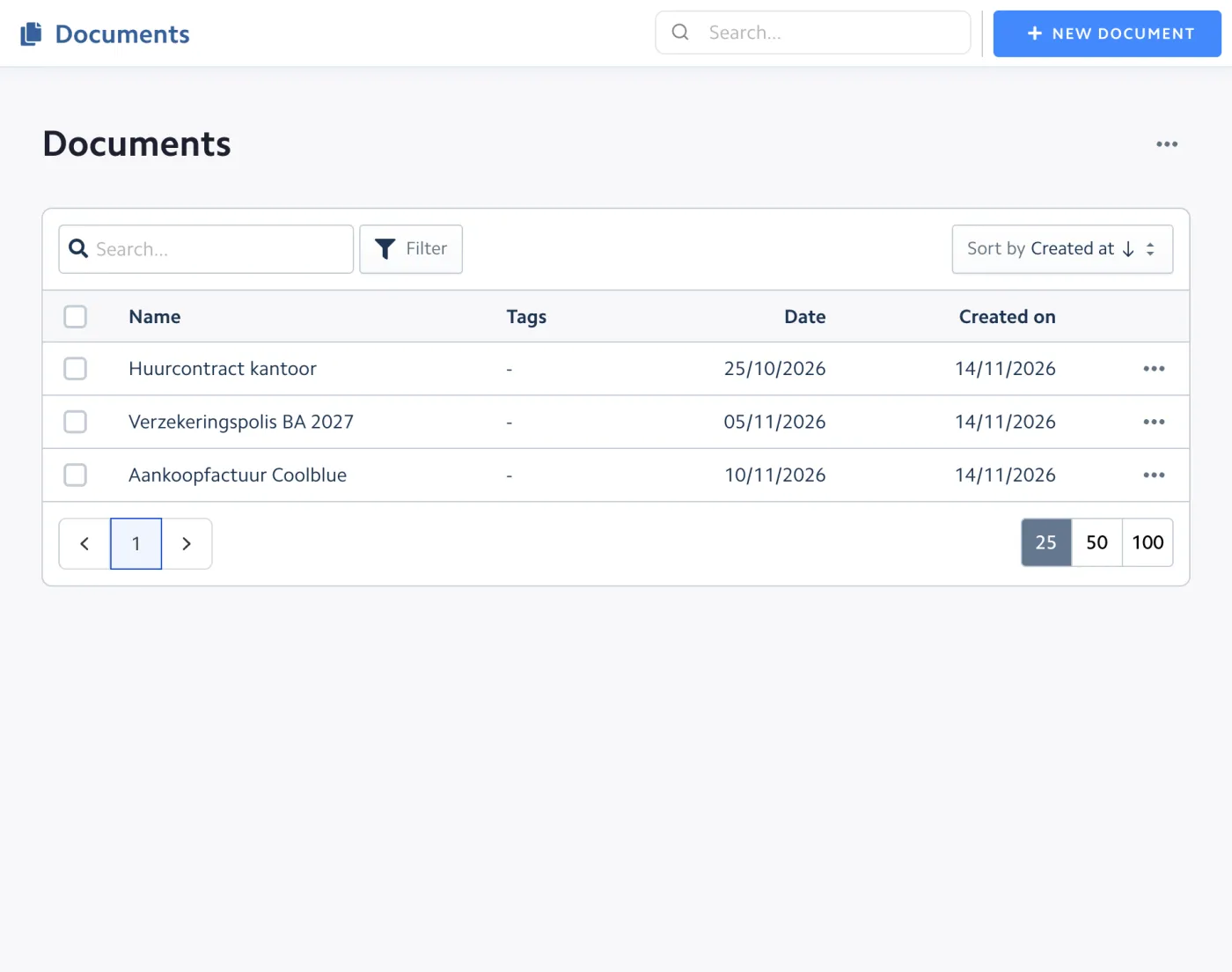
Documents overview for the accountant in Bizzey

Reports and accounting, connected

Every invoice, expense and payment in Bizzey feeds your reports and your accountant at the same time.

Bizzey dashboard

Dashboard

Your financial performance, sent invoices and financial year at a glance, the moment you log in.
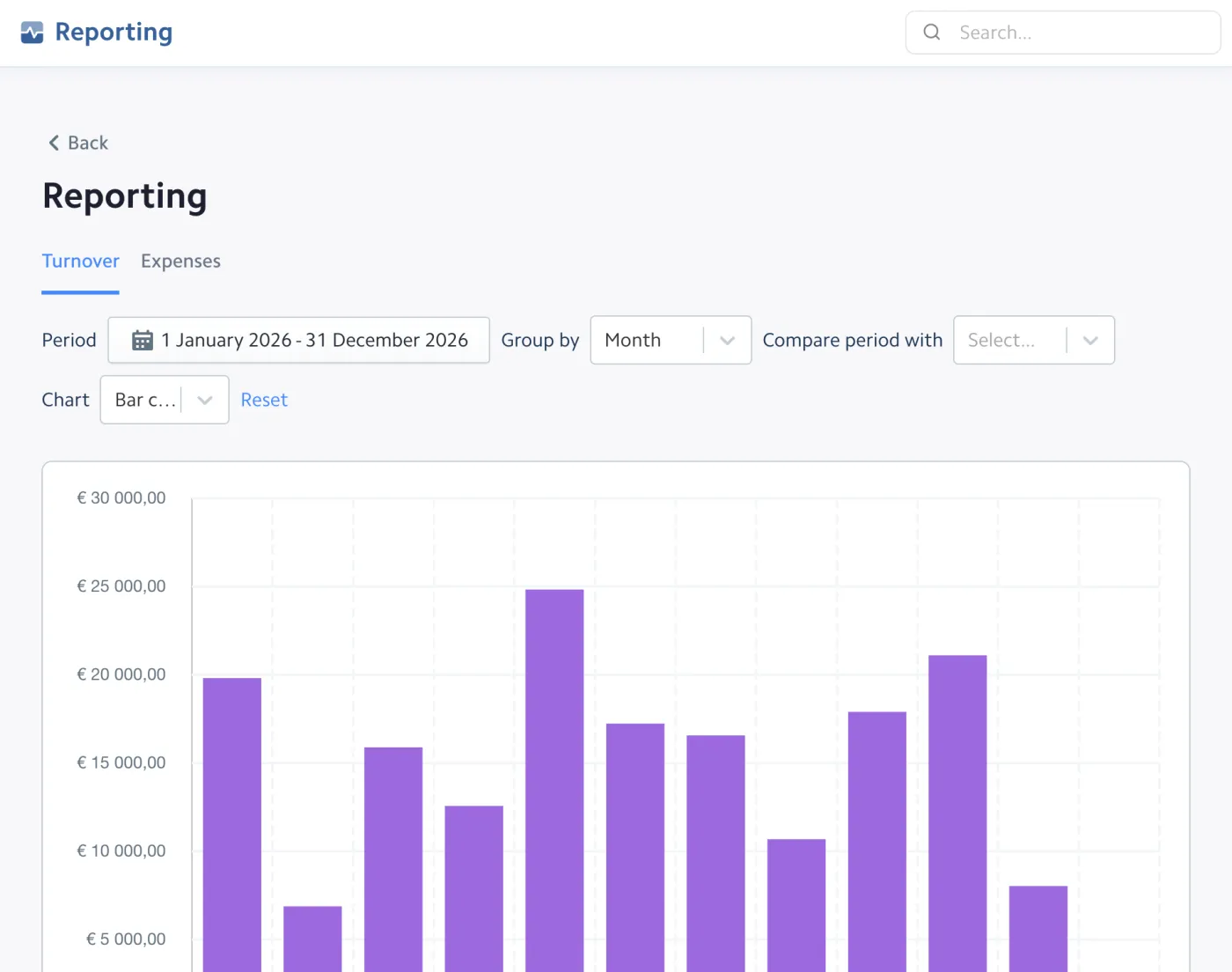
Reporting in Bizzey

Reports

Revenue and expenses per period, with comparisons and charts you can filter.

Accountant integration in Bizzey

Accountant

Documents delivered automatically to your accountant or accounting software.

Integrations

Connected to your accounting software

Bizzey syncs with Clearfacts, Yuki and Octopus, and your bank via Ponto.

Clearfacts Yuki Ponto Mollie Stripe ChatGPT Claude

Reporting and accountant features at a glance

  • Dashboard

    Revenue, costs and invoices at a glance.

  • Revenue reports

    Per month, quarter or year.

  • Expense reports

    Costs per category and period.

  • Period comparison

    Compare with last month or last year.

  • Outstanding & overdue

    Always know who still has to pay.

  • Time reports

    Hours per customer, project and person.

  • Project profitability

    Margin per project.

  • Financial years

    Report per financial year.

  • Accountant portal

    Separate access for your accountant.

  • Send to accountant

    All documents for a period in one go.

  • Accounting sync

    Clearfacts, Yuki and Octopus.

  • Documents

    Contracts and policies stored with your books.

Reviews

Entrepreneurs who know their numbers

Some nice things people have to say.

Really easy to find my way around. When I got stuck setting up my first invoice, the tutorial showed me where to go.
Lotte Vermeulen
Bizzey gives me one place to see which quotes are still open, what I’ve invoiced, and which clients I need to follow up with.
Hugo Lejeune
Handy for freelancers. I can see which invoices are still open without going through my sent emails.
Daan van Dijk
Great software. I had a question about setting up an invoice and support sorted it out quickly.
Elise De Smet
Getting started was easy. The guides were clear, and the team helped when I had a question about my first quote.
Camille Moreau
Very satisfied so far. I use it every week for quotes and invoices.
Bram de Jong
Snelle en vriendelijke hulp toen ik een vraag had over mijn facturen.
Wout Maes
Je me suis lancée comme indépendante cette année. J’avais l’habitude de gérer la partie créative, mais je perdais vite le fil des devis et des projets. Avec Bizzey, je vois ce qui est en cours et ce qui attend une réponse.
Manon Delvaux
Ik ben pas gestart als zelfstandige en gebruik Bizzey nu twee maanden. Ik zie meteen welke offertes nog openstaan en welke facturen ik moet opvolgen. Dat geeft mij meer overzicht.
Joris Vandenberghe
Als beeldend kunstenaar in bijberoep heb ik maar een paar opdrachten per maand. Toch raakte ik soms een afspraak of offerte kwijt tussen mijn mails. Nu kan ik per klant terugvinden wat we afgesproken hebben.
Koen Peeters
Ik gebruik Bizzey in bijberoep om mijn klanten, offertes en facturen op te volgen. Het programma wijst zichzelf goed uit en als ik ergens vastzit, stel ik mijn vraag via de chat.
Sofie De Smet
Ik hield mijn opdrachten en uren eerst bij in Excel. Nu vind ik alles per project terug in Bizzey. Toen ik een vraag had over de inrichting, kreeg ik snel een duidelijk antwoord.
Femke Visser
Had ik dit eerder gekend, dan was ik al langer overgeschakeld. Een offerte maken ging meteen vlot. Voor mijn eerste factuur heb ik even de handleiding erbij genomen.
Pieter Claes
Je trouve l’outil simple à prendre en main. J’ai créé mon premier devis rapidement, et l’équipe m’a aidé quand j’ai eu une question sur les factures.
Maxime Casteels
Ik gebruik Bizzey nog maar net voor mijn bijberoep. Mijn eerste klant toevoegen en een offerte maken ging vlot. Ik vind snel terug welke offertes ik al verstuurd heb.
Noor van Leeuwen
Ik zocht iets waarmee ik mijn opdrachten, uren en facturen samen kon opvolgen. In Bizzey zie ik per project hoeveel tijd ik eraan besteed heb en wat ik nog moet factureren.
Sarah Willems
Sinds ik mijn uren per project bijhoud in Bizzey, zie ik beter welke opdrachten uitlopen. Dat helpt me om mijn volgende offertes realistischer in te schatten.
Thijs de Vries
Toen ik mijn zaak startte, hield ik klantgegevens, offertes en taken op verschillende plekken bij. In Bizzey staat dat samen en zie ik sneller wat ik nog moet doen.
Julie Vermeulen
Ik gebruik Bizzey om klanten en projecten op te volgen. Per klant zie ik welke offertes en facturen er zijn. Daardoor hoef ik minder tussen schermen te zoeken.
Hanne Goossens
Ik hield mijn klanten en opdrachten eerst bij in losse lijstjes. In Bizzey zie ik meteen welke offertes nog openstaan en welke taken bij een project horen. De hulppagina en chat zijn duidelijk.
Sanne Bakker
Mijn eerste offerte maken ging vlot. Daarna kon ik vanuit dezelfde offerte een factuur opstellen, zonder de klantgegevens opnieuw in te vullen.
Anke Jacobs
Pour les quelques dossiers que je traite chaque mois, j’ai trouvé la mise en route trop longue. Une fois mes clients et mes projets encodés, je passais encore trop de temps à chercher mes tâches.
Claire Lambert
Als creatieve ondernemer deed ik de administratie vaak tussen twee opdrachten door. Daardoor vergat ik soms een offerte op te volgen. Nu zie ik in Bizzey welke klanten nog moeten antwoorden en wat ik nog moet factureren.
Fleur Meijer
Ik hield mijn klanten, uren en facturen jarenlang bij in aparte bestanden. Tijdens het uitproberen van Bizzey merkte ik vooral hoeveel tijd ik verloor met zoeken. Nu vind ik de uren en facturen gewoon bij het project.
Tom Verstraete
Ik liep vast bij het aanpassen van een offerte. Via de chat kreeg ik een duidelijk antwoord en kon ik meteen verder.
Lucie Fontaine
Toen ik zelfstandig begon, zocht ik vooral iets eenvoudigs om klanten, offertes en facturen op te volgen. Met de uitleg in Bizzey kon ik snel mijn eerste offerte maken. Op mijn vragen kreeg ik snel antwoord.
Niels van der Meer
Au début de mon activité, je suivais les devis par e-mail et les heures dans un tableau. Avec Bizzey, je retrouve les informations par projet et je vois ce qu’il me reste à facturer.
Nicolas Dethier
Na een korte gewenningsperiode vond ik snel terug welke klanten ik nog moest antwoorden en welke facturen openstonden. Zeker na een paar dagen weg kan ik zo meteen weer verder.
Stijn De Clercq
J’utilise Bizzey pour suivre les devis, les projets en cours et les factures envoyées. Ce que j’apprécie surtout, c’est de voir rapidement quels clients je dois relancer.
Élodie Renard
Toen we onze kunstgalerij openden, liep veel communicatie door elkaar. In Bizzey houden we per klant bij welke offertes verstuurd zijn en welke afspraken we nog moeten opvolgen.
Marieke Smit
Super useful, user friendly, and always growing in new features.
Robin De Smedt
Great app! A lot of great functionality and very cheap.
Charlotte Vandenabeele
Awesome, I love Bizzey. Just what I need.
Laurens Eeklo

4.8 out of 5 from 33 reviews

FAQ

Questions about reporting and your accountant

What can I see on the Bizzey dashboard?

The dashboard shows your financial performance per month, sent and outstanding invoices, and figures for your financial year. It updates as soon as you create an invoice or record an expense.

Which reports does Bizzey have?

Bizzey has revenue and expense reports per period, which you can group by month, quarter or year and compare with a previous period. Time reports show hours per customer, project and team member.

How does my accountant get my documents?

You can send all documents for a period to your accountant in one step, invite them to the accountant portal, or connect your accounting software so documents are delivered automatically.

Which accounting software does Bizzey connect to?

Bizzey connects to Clearfacts, Yuki and Octopus. Other accountants can use the accountant portal or receive the documents by email.

How does the accountant portal work?

Your accountant creates an accountant account and gets access to the workspaces of the clients who invite them, with their invoices, expenses, bank transactions and integrations in one place.

Can I export my data?

Yes. Invoices, expenses and time entries can be exported, so you always keep control over your own data.

Blog

Tips and guides

Blog

Run Your Business From Your AI Tool: Introducing the Bizzey MCP Integration

AI assistants are becoming part of many people's daily workflow. They help write content, answer questions, and automate repetitive tasks. With Bizzey MCP, you can now connect your Bizzey account directly to AI platforms such as ChatGPT and other OpenAI-compatible assistants, allowing them to access and work with your business data.
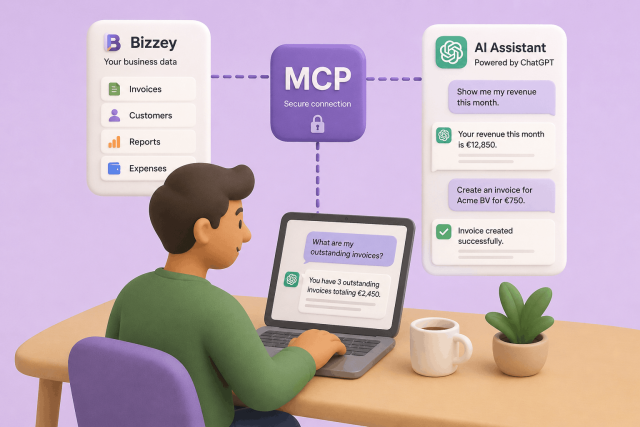
Run Your Business From Your AI Tool: Introducing the Bizzey MCP Integration

Octopus Accountancy Software Integration

Sick of uploading your invoices to your accountant manually? Our integration promises to revolutionize financial management between Bizzey and Octopus Accountancy Software.

Octopus Accountancy Software Integration

Get a grip on your numbers

Try Bizzey for free and see your dashboard fill up with your first invoices.

€24,99 per month

  • 14-day free trial
  • No credit card required
  • Cancel anytime
Clay illustration of an entrepreneur and accountant sharing a folder by a growth chart